
Physical Inventory
Finish your yearly parts inventory in record time. Wireless scanning makes counts faster, more accurate, and less stressful.
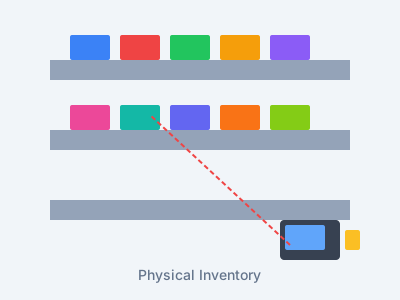
The Problem
- Physical inventory takes days or weeks
- Manual counting leads to errors
- Paper-based systems are inefficient
- Staff overtime costs add up
- Business disruption during counts
Our Solution
- Complete inventory in hours, not days
- 99.9% scanning accuracy
- Wireless handheld scanners
- Reduce labor costs by 75%
- Minimal business disruption
Everything You Need for Efficient Physical Counts
Bin-by-Bin Scanning
Scan through your inventory bin by bin. Guided steps make sure nothing gets missed.
Offline Mode
Keep scanning even without WiFi. Data syncs on its own when the connection comes back.
Variance Reports
See gaps between what you counted and what the system expects right away.
Mobile Devices
Works on tough Android devices built for the warehouse. Long battery life keeps you going.
DMS Sync
Sends count results to your DMS on its own. No manual data entry needed.
Multi-User
Many team members can scan at the same time. Track progress in real time.
How Physical Inventory Works
Setup
We set up your devices and pull in your parts list from the DMS. Takes about an hour.
Scan
Your team scans each part step by step. The system tracks progress in real time.
Review
Check the gap reports and recount anything that looks off before you finish.
Update
Push final counts to your DMS with one click. Done!
What Our Customers Achieve
3-day counts done in hours — not days or weeks
Scanning gets rid of the costly mistakes from hand counting
Save on labor with faster counts, less overtime, and fewer staff needed
Good counts find and cut shrinkage that hand counts miss
"We used to shut down parts for 3 days to count inventory. With ScanIt Parts, we finished in 6 hours on a Saturday morning. The better accuracy alone made it worth it."Mike Thompson Parts Manager, Thompson Ford
Why ScanIt Parts Leads in Physical Inventory
5-Year Data Retention
Compare this year's inventory against the last 5 years. Some competitors auto-delete data after just 18 months. We never delete your history.
Real-Time Inventory Dashboard
Watch inventory progress live from any device. Zone completion, counts per hour, active scanners, and variance metrics update in real time.
80+ Report Types
3x more reports than the nearest competitor. Variance analysis, employee productivity, bins not counted, lost sales — all exportable to Excel.
Finish and Reconcile Your Count Faster
Inventory Analysis Report
One page shows your whole count at a glance — total pad value, the net difference, an over and under breakdown, parts and bins not counted, and a checklist of issues to review. Many of the figures link straight to the matching report.
Print Barcodes
One unified page prints every label. Pick bin labels or part tags, then print by bin range, changed bins, new parts, or all at once — the separate Print Bin Tags and Print Part Number Tags pages are now one.
Bins Not Counted — Mark as Counted
Clean up added bins you printed but never stocked. Enter a range or use the one-click button, with a live preview of how many bins will be marked before you click. Your real DMS bins are never touched — only bins you generated through Print Add Bin Tags.
Print Add Bin Tags
New bins are tracked by default, so the labels you print show up on the Bins Not Counted report right away. Reprint a bin range and those bins come right back onto the list — no digging to figure out what was missing.
Write-In Bins
Select one or many write-in rows and move their scans to a real bin in one action — the same checkbox and "Change Selected Bin" workflow you already know from the Pad Variance report.
DMS Setup Manual
A downloadable guide with the exact steps to take inside your own DMS — CDK, DealerTrack, AutoMate, Dominion VUE, and Lightspeed — covering what to do before and after the count, plus a reminder that write-ins are keyed into the DMS by hand. Download it from the "?" menu in the dashboard.
Talon ASC Download
Talon stores can now download a file Talon will read. Choose ASC instead of CSV on the download, and pick the part number width your Talon uses. Before you download, the screen shows you the longest part number in your count and warns you if any part numbers would be cut short, or worse, end up matching each other. Lightspeed stores carry on with the CSV exactly as before.
Your Count Stays Yours, Even When Someone Else Does the Counting
Some stores count with their own team. Others bring in an outside counting company. When that company uses ScanIt Parts, you get three things you would not get any other way.
Check On It Whenever You Like
Anyone on your staff can sign in to your own dashboard, open Physical Inventory, and open the count while it is still going. Reload the page and you have the counting company’s latest synced numbers — Core Value, Scan Activity, Bin Variances and Scanned Variances — and you can run the full report set right then. No more waiting on the counting company to email you a status.
Look, But Don't Touch — On Purpose
While the counting company is running your count, your view is read-only. The edit controls are simply not shown. Only the counting company can adjust quantities, change scanned bins, or post. That is on purpose: it keeps one set of numbers and one party responsible for them. You can still run and export every report.
Keep Everything After They Leave
This is the part most stores do not expect. When the counting company finishes and goes, the count is still yours — every report, every variance, all the detail. You never have to chase a vendor months later for a copy of your own numbers, and nothing disappears when the relationship ends. The status filter on your Physical Inventory page includes "Closed or Expired," so a finished count is always a click away.
Linking the count takes one step. Give the counting company your Dealer Token — it sits at the top of your own Physical Inventory page, labeled "Dealer Token:" — and they paste it in when they create the count. That is what lets you watch it, and it saves you from handing over your DMS login, because we already have your store's DMS connection and reuse it. You will need to be on the cloud version.
Paying $20K+ for Counting Crews?
ScanIt Parts replaces expensive third-party counting services with tools your team uses every day. Daily cycle counting keeps your inventory accurate year-round, so physical inventory becomes a quick verification.
Professional Inventory Service Provider?
ScanIt Parts has a platform built for inventory service companies — multi-dealer dashboards, cross-dealer analytics, crew productivity tracking, and one tool that works across 6 DMS platforms plus Lightspeed for Physical Inventory.
Ready to Transform Your Physical Inventory Process?
See how ScanIt Parts can save you time and money on your next physical inventory.
This service is subject to the Physical Inventory Terms of Service.