Returns
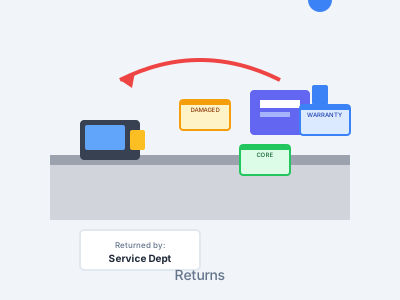
Take control of your parts returns with full tracking. Know who brought the part back and where it came from. Tag it as damaged, core, warranty, or any reason you set up.
The Problem
- Returns get mixed up with regular stock
- No record of who returned the part
- Can't track where the return came from
- No way to sort returns by reason
- Damaged parts end up back on shelves
Our Solution
- Scan and process returns instantly
- Track who returned every part
- Record where the return came from
- Custom return categories you define
- Keep damaged parts separated properly
Complete Return Tracking
Track Who Returned It
Every return logs who brought it back. Know who returned what and when. No more mystery parts.
Track Return Source
Log where the return came from — service, body shop, customer, or wholesale. Full view of where returns start.
Custom Return Categories
Set up as many return types as you need — damaged, core, warranty, wrong part, or any custom type your shop uses.
Separate Return Inventory
Keep returns apart from normal stock until they're handled. Damaged parts stay out. Cores go where they should.
Real-Time DMS Updates
Returns post to your DMS right away. Inventory stays correct and credits are tracked the right way.
Return History
Pull up the full return history for any part. Spot patterns, track repeat returners, and make smarter stocking choices.
Add a UPC to Your Lookups
Scan a UPC label on a returned part and add it, so the same UPC finds the part next time. The prompt only shows for a UPC that is not on file yet, and skipping it still records the return.
How Returns Work
Scan the Part
Scan the returned part's barcode. The system pulls up the part info and gets the return ready.
Select Return Reason
Pick from your custom list — damaged, core, warranty, or any type you've set up for your shop.
Record Source & Person
Log where the return came from and who brought it back. Full records for every return.
Process & Track
The return posts to your DMS. The part goes to the right place based on its return type.
The Returned Parts Page
Log and review returned parts right on the ScanIt Parts website, using the same part lookup your scanner uses.
Log Returned Parts
Add returned parts on the website using the same part lookup the scanner uses. Pull up any part by number, description, or bin.
Edit or Delete Rows
Fix a mistake in seconds. Edit any returned-part row or delete it outright, so the list always matches what really came back.
"Not In Inventory" Filter
Filter the list to parts that are not in your inventory, so you can spot returns that need attention right away.
Returned-Parts Analytics
See an overview of what is coming back, with a prior-window comparison so you can tell whether returns are trending up or down.
Take Control of Returns
Every return tracked with who, what, when, and why — no more mystery parts
Returns sorted and kept apart — damaged parts never sold as new
Cut losses from misrouted cores, warranty claims, and restocking mistakes
Track every core return to get the most credit back from the maker
Benefits of Return Tracking
Complete Accountability
Know who returned every part and where it came from. No more unknown returns showing up in stock with no reason.
Protect Your Inventory
Damaged and bad parts stay out of sellable stock. Sort returns the right way so bad parts don't end up back on shelves.
Manage Cores & Warranties
Track core returns to get full credit. Log warranty returns with all the details needed to file claims.
Your Categories, Your Way
Set up return types that match how your shop works. Add as many as you need — the system fits your process.
Ready to Take Control of Returns?
See how wireless return tracking brings order and clear records to your parts returns.